The product explorer

Find the tools for your work.

Select a capability to see what it does, the records behind it and where it fits. Explore pricing, site work, commercial management and the tools that support your team.

Job creation

Give the work a home.

Create the job, connect its client and organise the scope into sections and tasks.
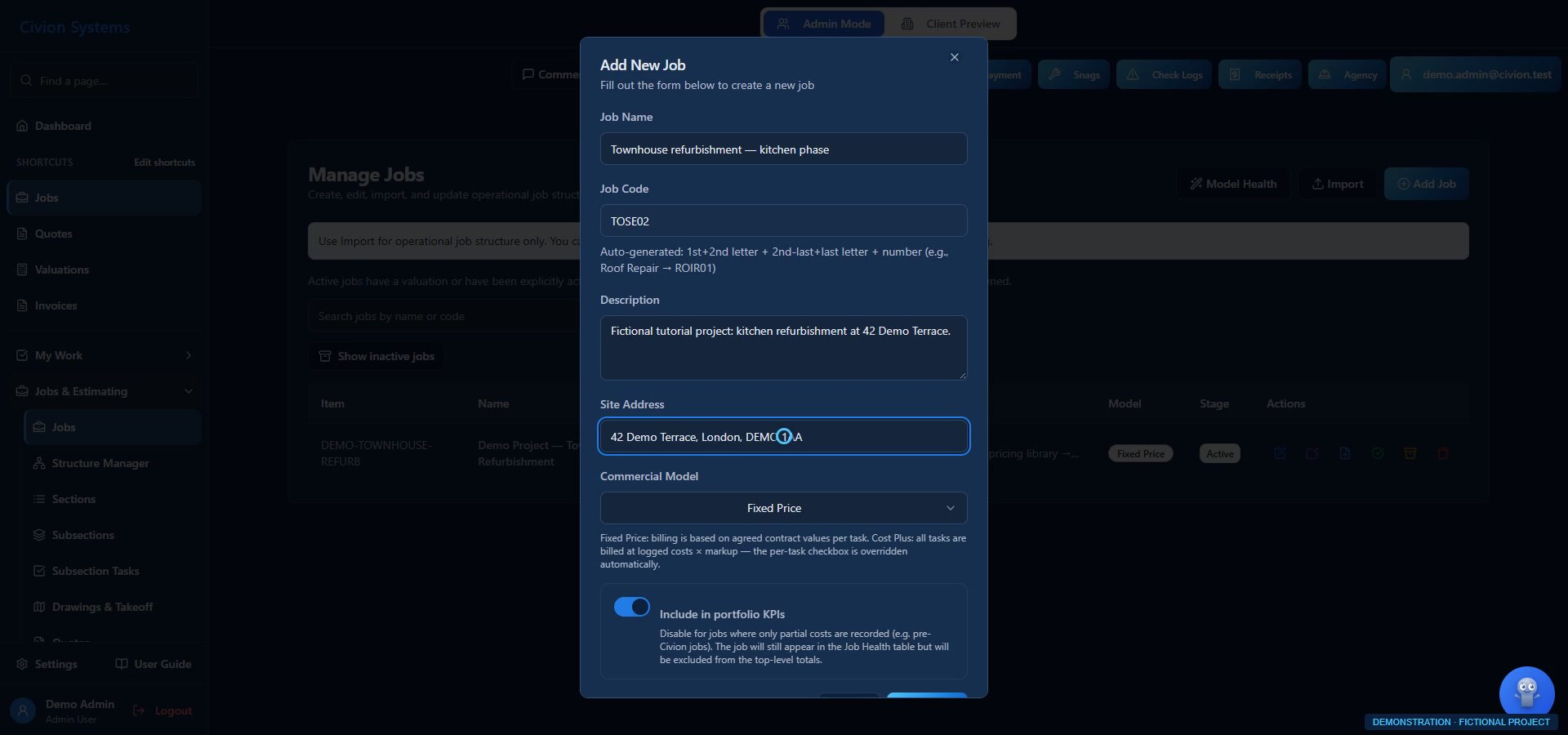
Job creation — actual interface with fictional records
Actual Civion interface · fictional demonstration records.
Open full-size screen ↗

What you can do

  • Job and client details in one place
  • Sections, subsections and tasks for the work ahead
Availability follows your plan, role permissions and company configuration. Screens use fictional records.
See this in a workflow ↗
Follow a complete example job ↗

Pricing library: resources & assemblies

Build on your pricing knowledge.

Create reusable labour, material and plant resources, then combine them into assemblies with the build-up behind your rates.
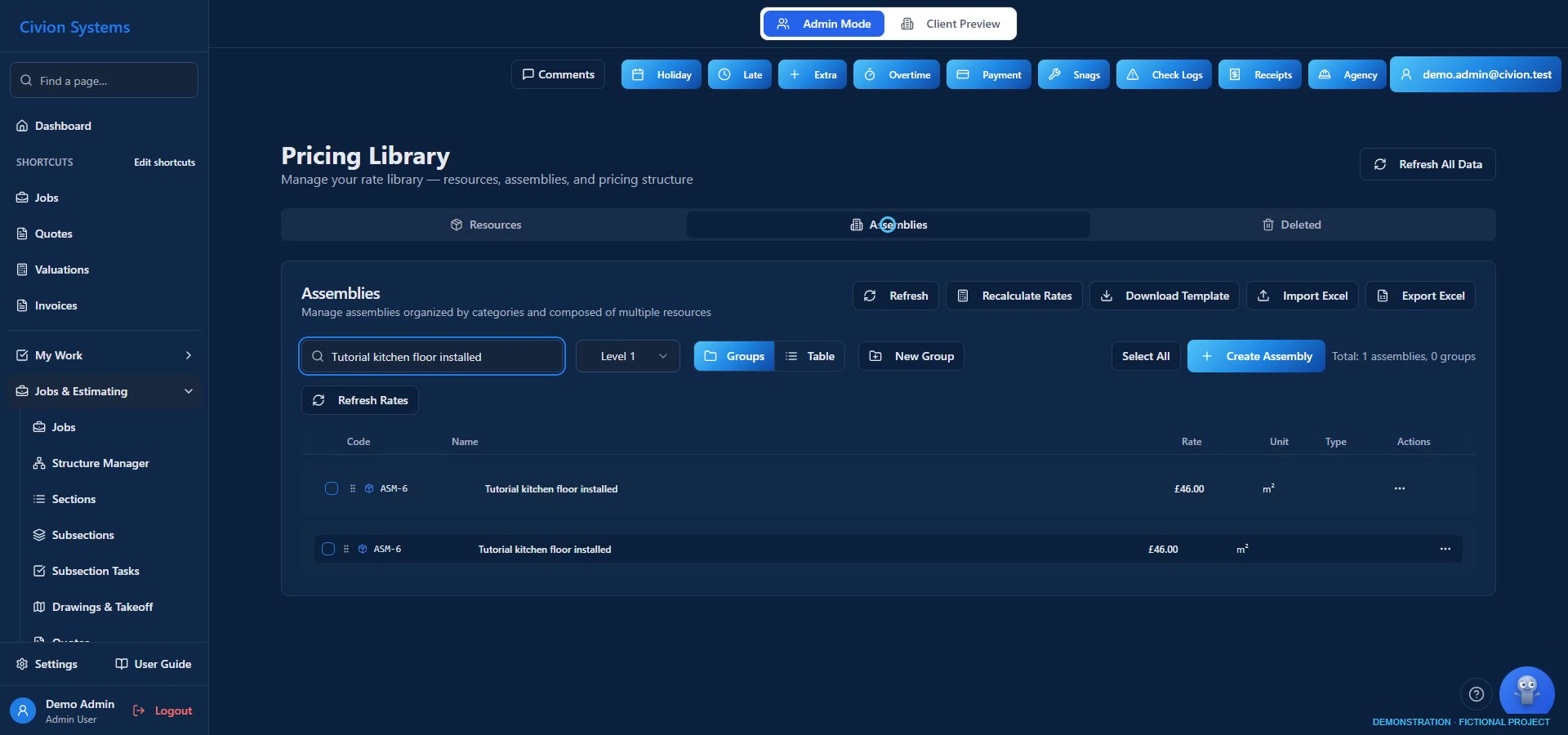
Pricing library: resources & assemblies — actual interface with fictional records
Actual Civion interface · fictional demonstration records.
Open full-size screen ↗

What you can do

  • Reusable resources and assemblies in your pricing library
  • Variables, formulas and component quantities for your rate build-ups
Availability follows your plan, role permissions and company configuration. Screens use fictional records.
See this in a workflow ↗
Follow a complete example job ↗

Quote building

Set out the items you need to price.

Build the quote structure and line items first. Use your library or custom items, ready for measured quantities to be applied.
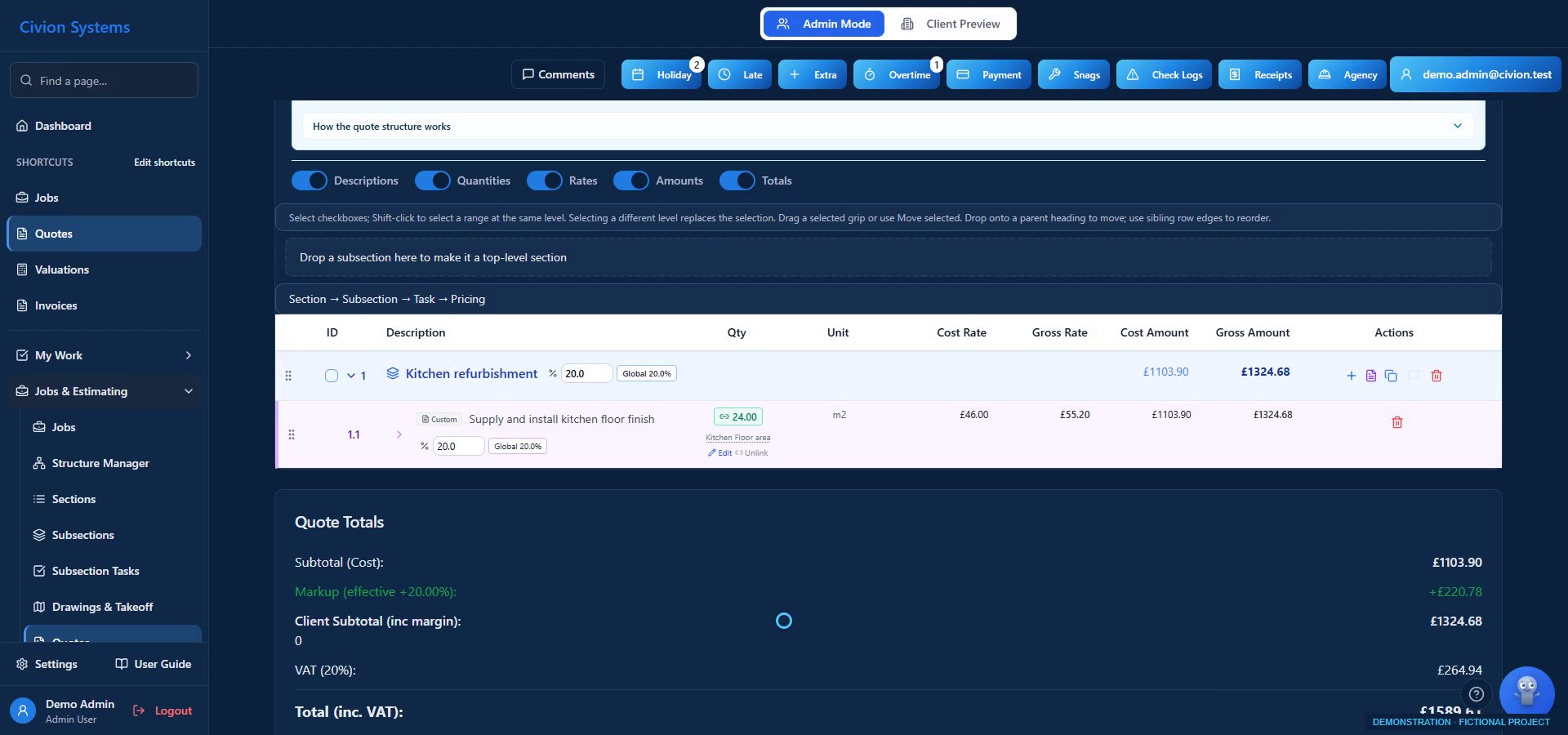
Quote building — actual interface with fictional records
Actual Civion interface · fictional demonstration records.
Open full-size screen ↗

What you can do

  • Structured quotes, revisions and linked takeoff quantities
  • Review scope, cost build-ups, markup and client prices before publishing
Availability follows your plan, role permissions and company configuration. Screens use fictional records.
See this in a workflow ↗
Follow a complete example job ↗

CAPTIONED TUTORIAL

Turn measurements into quote quantities

Link the saved quantity, review the calculation and apply a waste allowance.

Read captions ↗

Takeoff & annotations

Measure the quantity. Apply it to the item.

Set the drawing scale, measure lengths, areas and counts, then link reviewed quantities to your draft quote items. Add drawing annotations to explain the work.
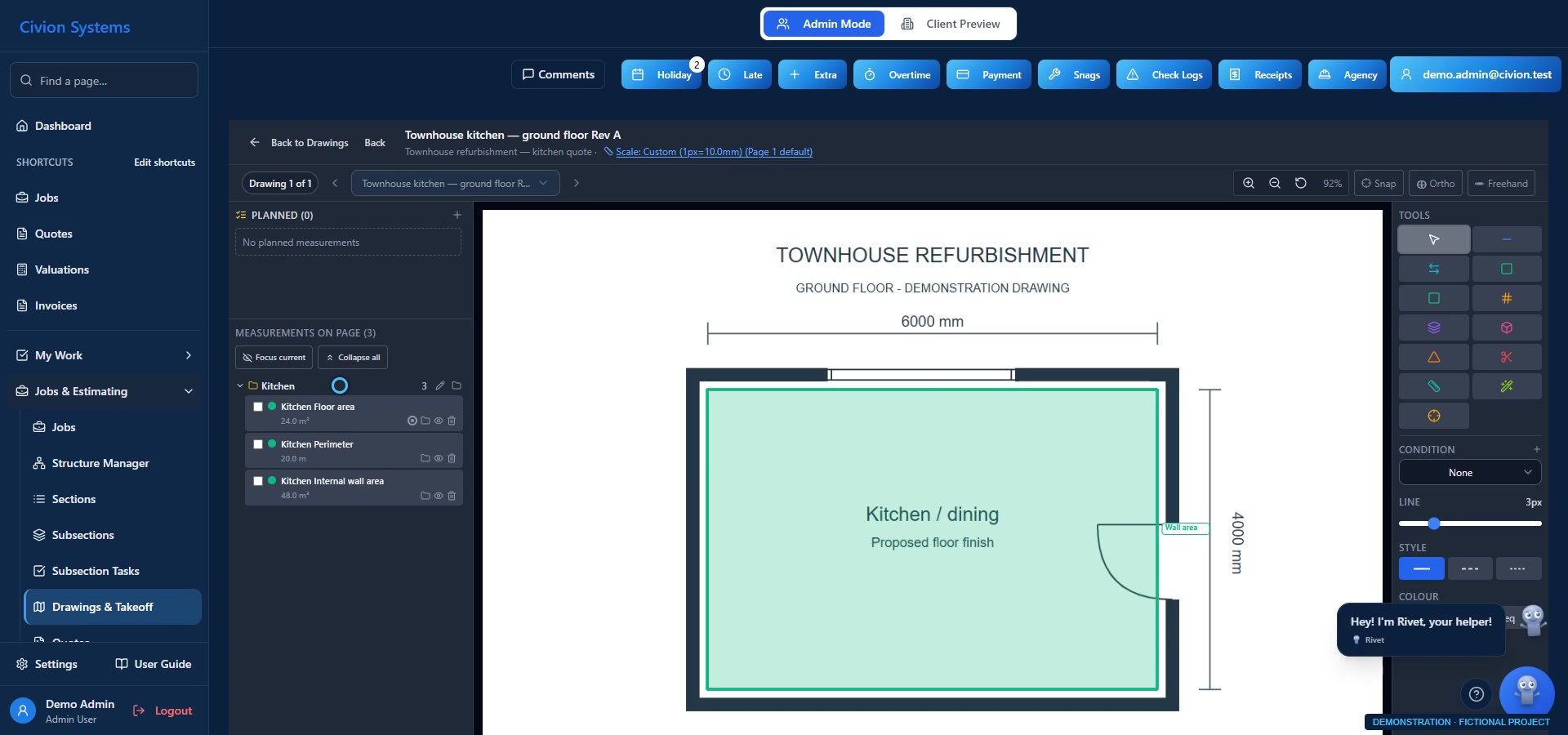
Takeoff & annotations — actual interface with fictional records
Actual Civion interface · fictional demonstration records.
Open full-size screen ↗

What you can do

  • Lengths, areas, counts and room measurements
  • Drawing annotations remain separate from commercial quantities
  • Review quantity updates; published prices are not silently rewritten
Availability follows your plan, role permissions and company configuration. Screens use fictional records.
See this in a workflow ↗
Follow a complete example job ↗

Job management

Keep the site and office working together.

Manage assignments, task progress, notes and site photos in the context of the job.
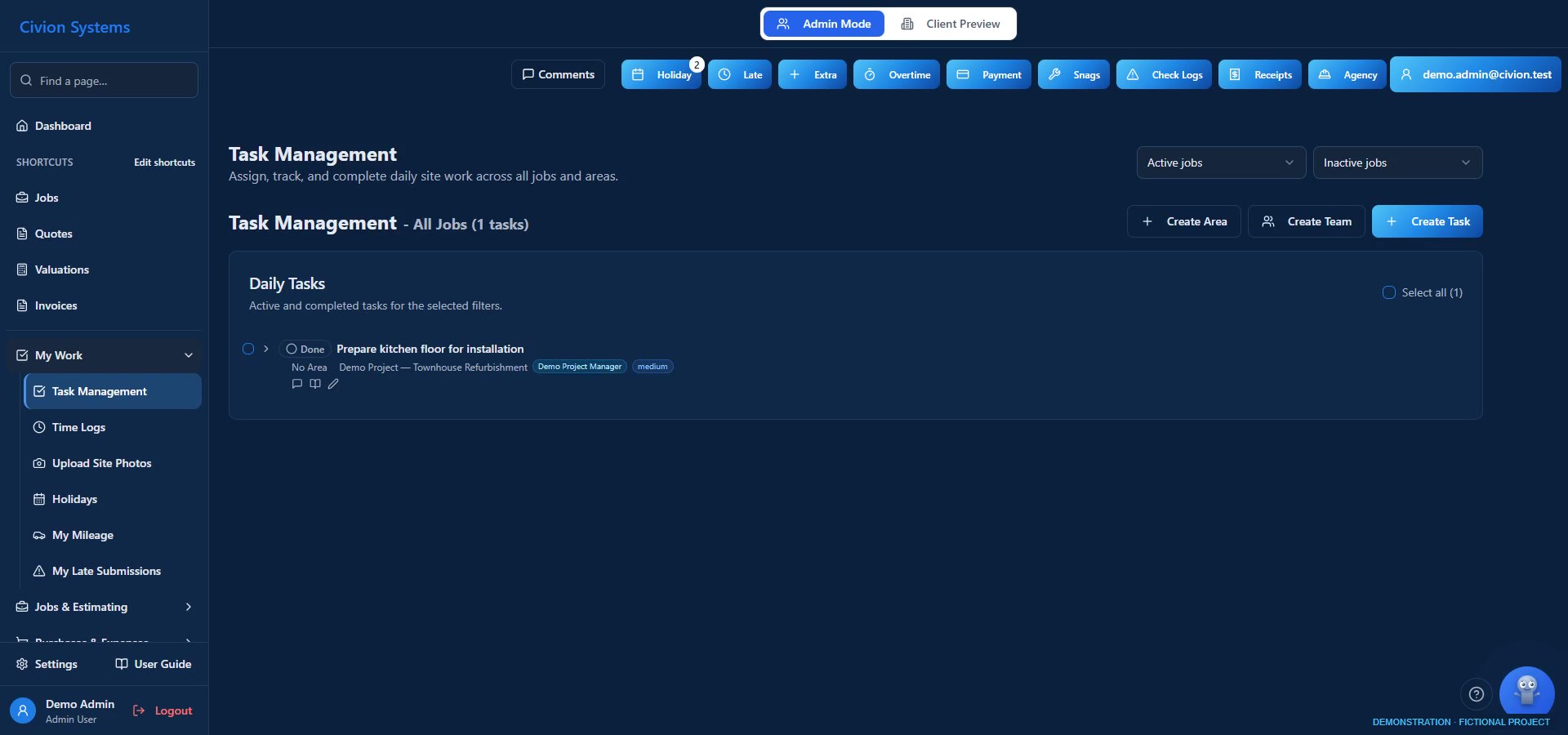
Job management — actual interface with fictional records
Actual Civion interface · fictional demonstration records.
Open full-size screen ↗

What you can do

  • Daily assignments and task management
  • Site photos and notes linked to the work
Availability follows your plan, role permissions and company configuration. Screens use fictional records.
See this in a workflow ↗
Follow a complete example job ↗

SHORT WALKTHROUGH · 24 SECONDS

Keep the task and its notes together

A 24-second walkthrough of existing task records and site notes.

Read captions ↗

Time logging

Bring the working day into the record.

Log time against the work, review corrections and approve entries for labour-cost and wage reporting.
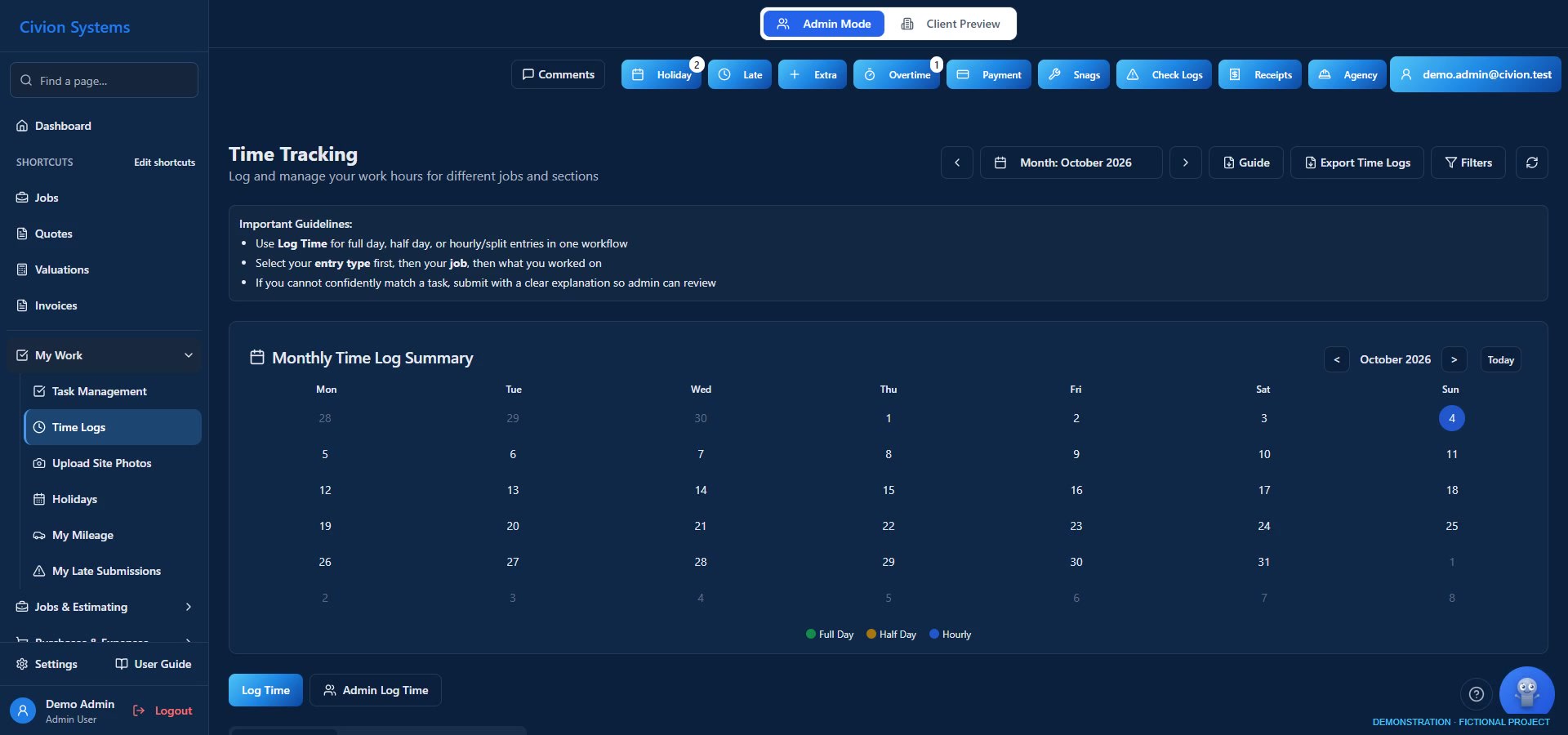
Time logging — actual interface with fictional records
Actual Civion interface · fictional demonstration records.
Open full-size screen ↗

What you can do

  • Employee time logs and approval workflows
  • Agency workers and timesheets
  • Holiday requests and mileage records
Availability follows your plan, role permissions and company configuration. Screens use fictional records.
See this in a workflow ↗
Follow a complete example job ↗

Purchase & receipt logging

Give every cost a place to go.

Record purchases, capture receipts and allocate costs to the job. Review the records behind your cost picture.
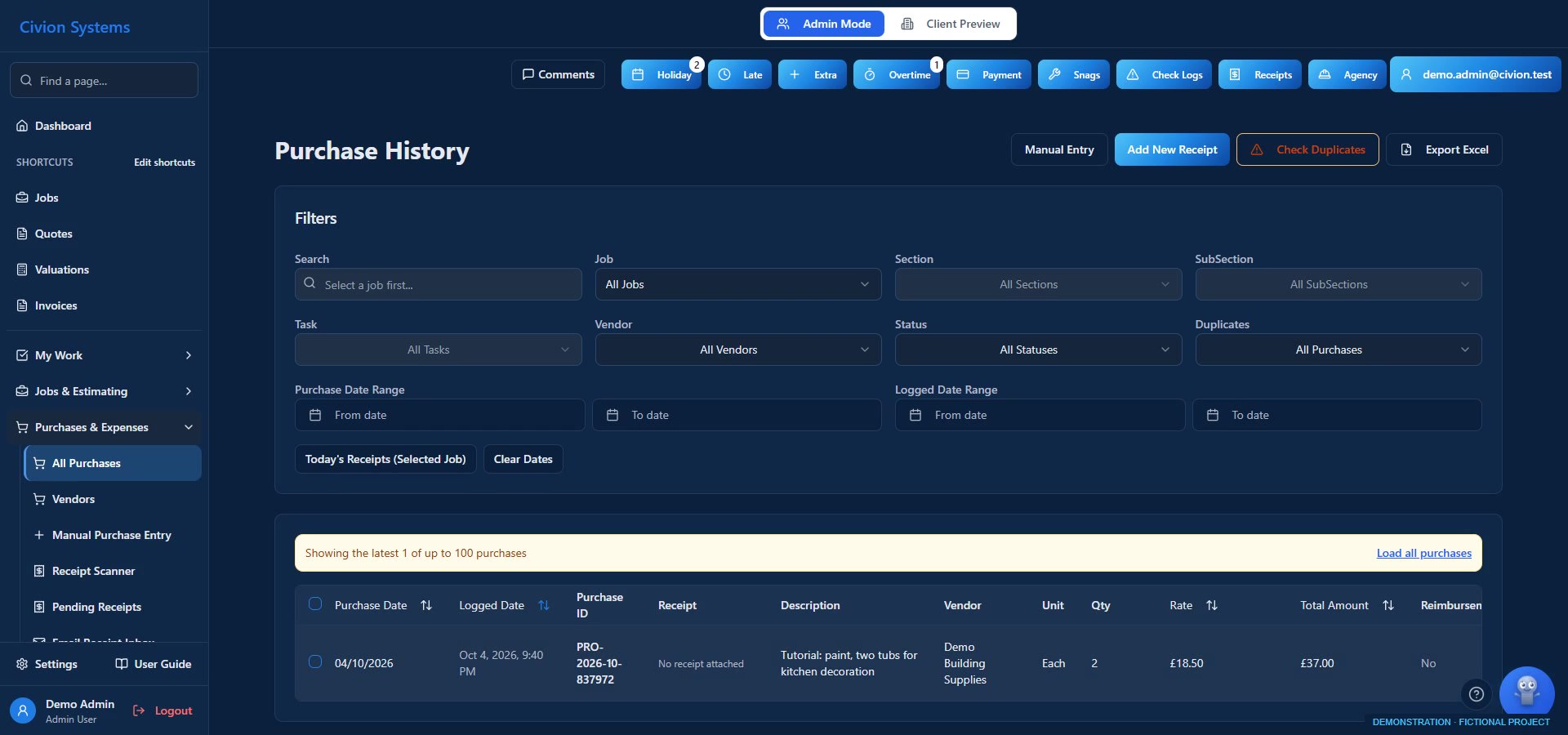
Purchase & receipt logging — actual interface with fictional records
Actual Civion interface · fictional demonstration records.
Open full-size screen ↗

What you can do

  • Manual purchase entry and receipt scanning
  • Receipt review, cost allocation and reimbursement tracking
Availability follows your plan, role permissions and company configuration. Screens use fictional records.
See this in a workflow ↗
Follow a complete example job ↗

Valuations

Review the work ready to bill.

Prepare progress valuations for fixed-price jobs or review logged-cost recovery for cost-plus work. Approved change orders can feed into valuations; draft changes do not.
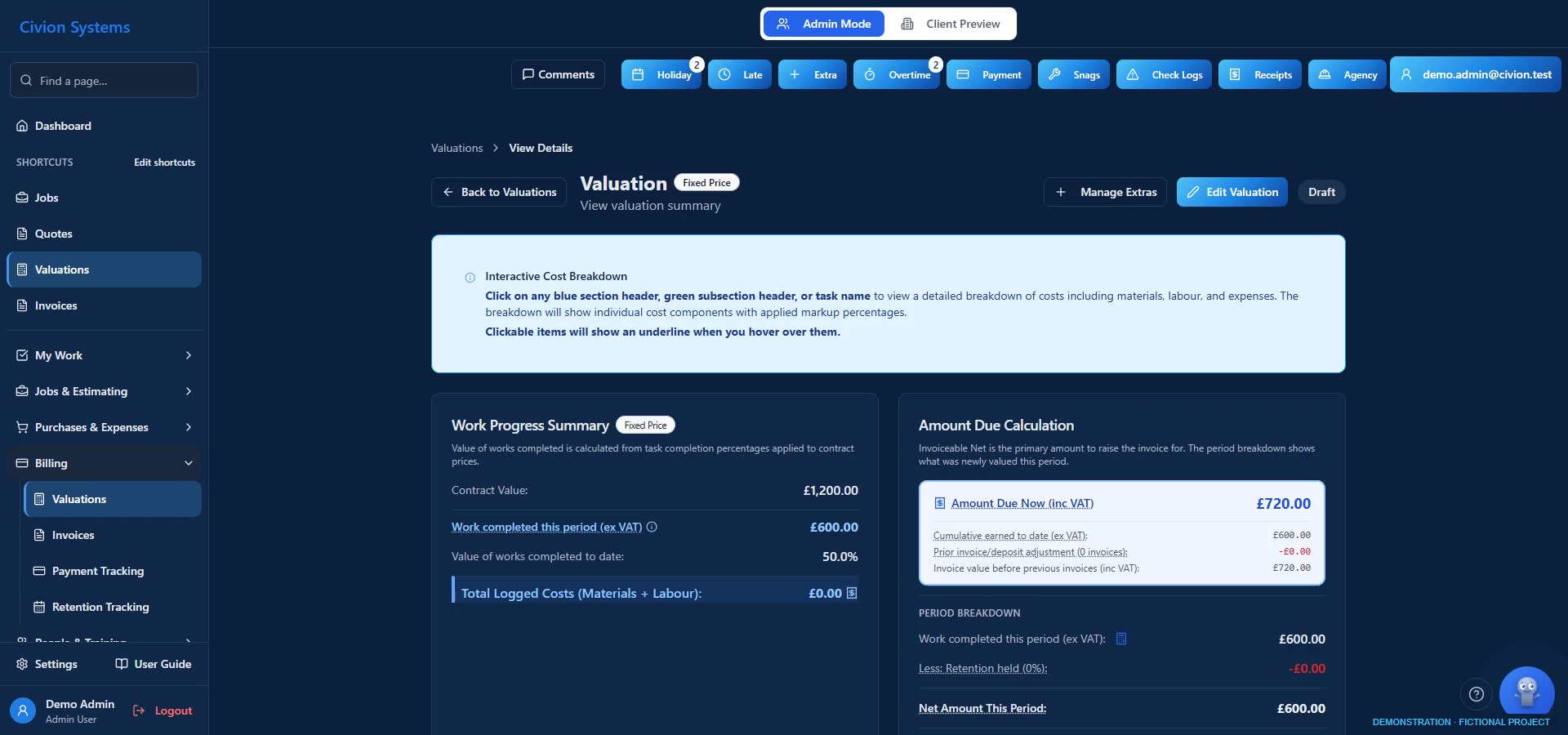
Valuations — actual interface with fictional records
Actual Civion interface · fictional demonstration records.
Open full-size screen ↗

What you can do

  • Previous, this-period and total-to-date values
  • Published valuation snapshots preserve reviewed values
Availability follows your plan, role permissions and company configuration. Screens use fictional records.
See this in a workflow ↗
Follow a complete example job ↗

Change orders

Keep agreed changes in the commercial picture.

Review extras and scope changes, build their price and manage approval before they enter the relevant valuation and billing workflow.
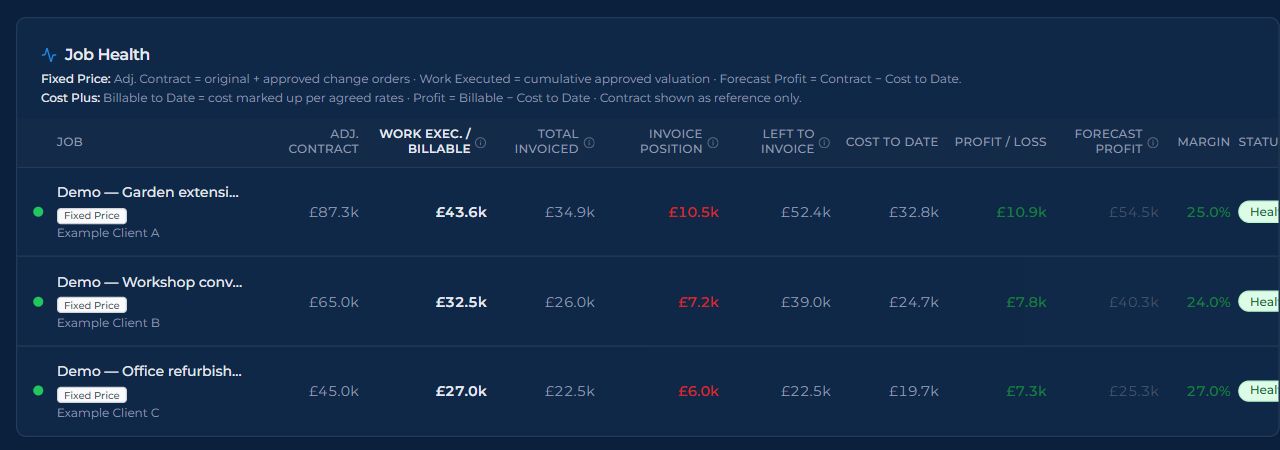
Change orders — actual interface with fictional records
Actual Civion interface · fictional demonstration records.
Open full-size screen ↗

What you can do

  • Raw extras remain separate from approved change orders
  • Follow approved changes in adjusted contract values and job health
Availability follows your plan, role permissions and company configuration. Screens use fictional records.
See this in a workflow ↗
Follow a complete example job ↗

Invoicing

Carry the value through to payment.

Create invoices from supported job and valuation workflows. Track payments, outstanding balances and retention alongside the job.
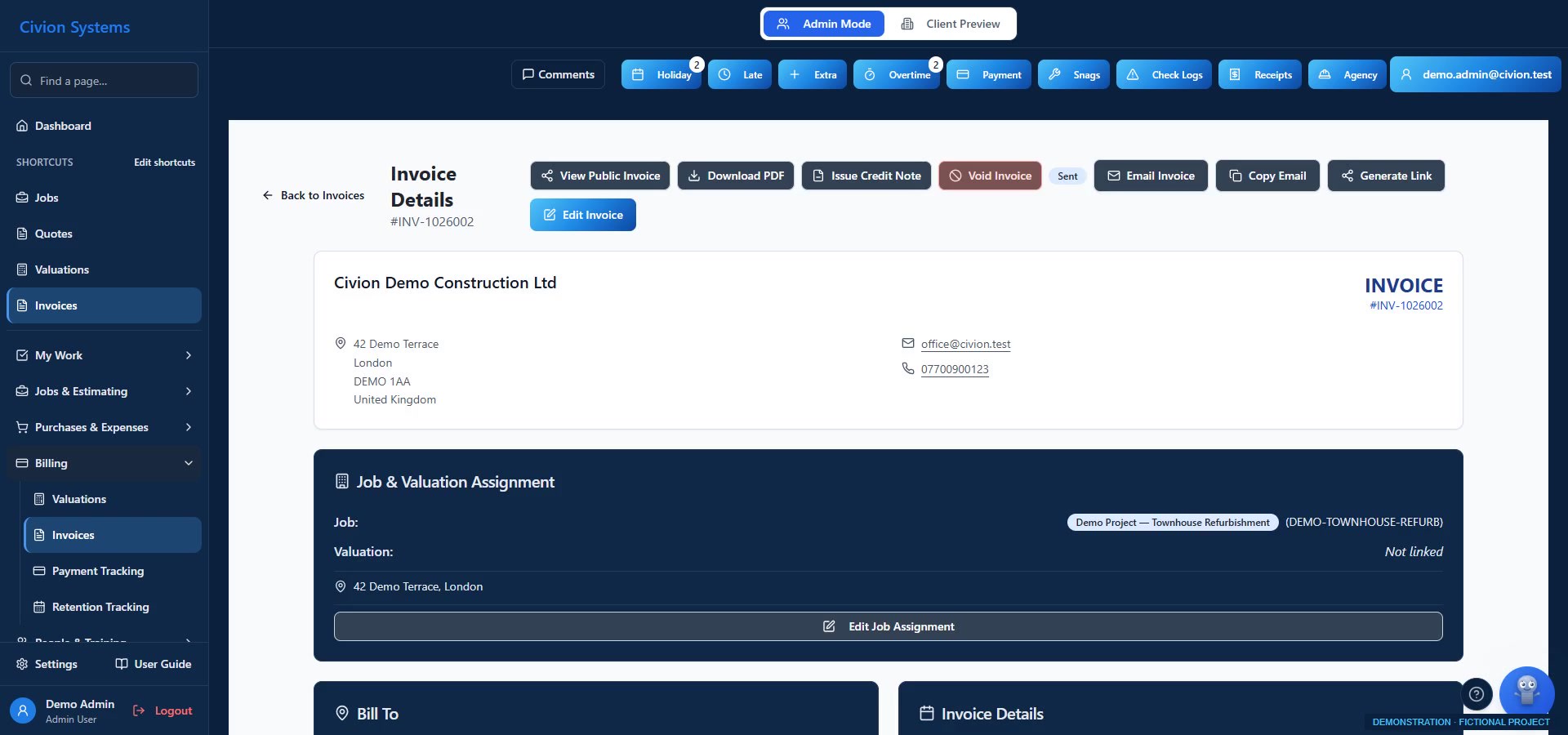
Invoicing — actual interface with fictional records
Actual Civion interface · fictional demonstration records.
Open full-size screen ↗

What you can do

  • Invoices, payment tracking and retention records
  • Valued work, invoicing, profit and cash received are different measures
Availability follows your plan, role permissions and company configuration. Screens use fictional records.
See this in a workflow ↗
Follow a complete example job ↗

Client portal & handover

Keep your clients part of the conversation.

Give assigned clients a place for the information shared with them, from quotes and progress photos to snags and certificates.
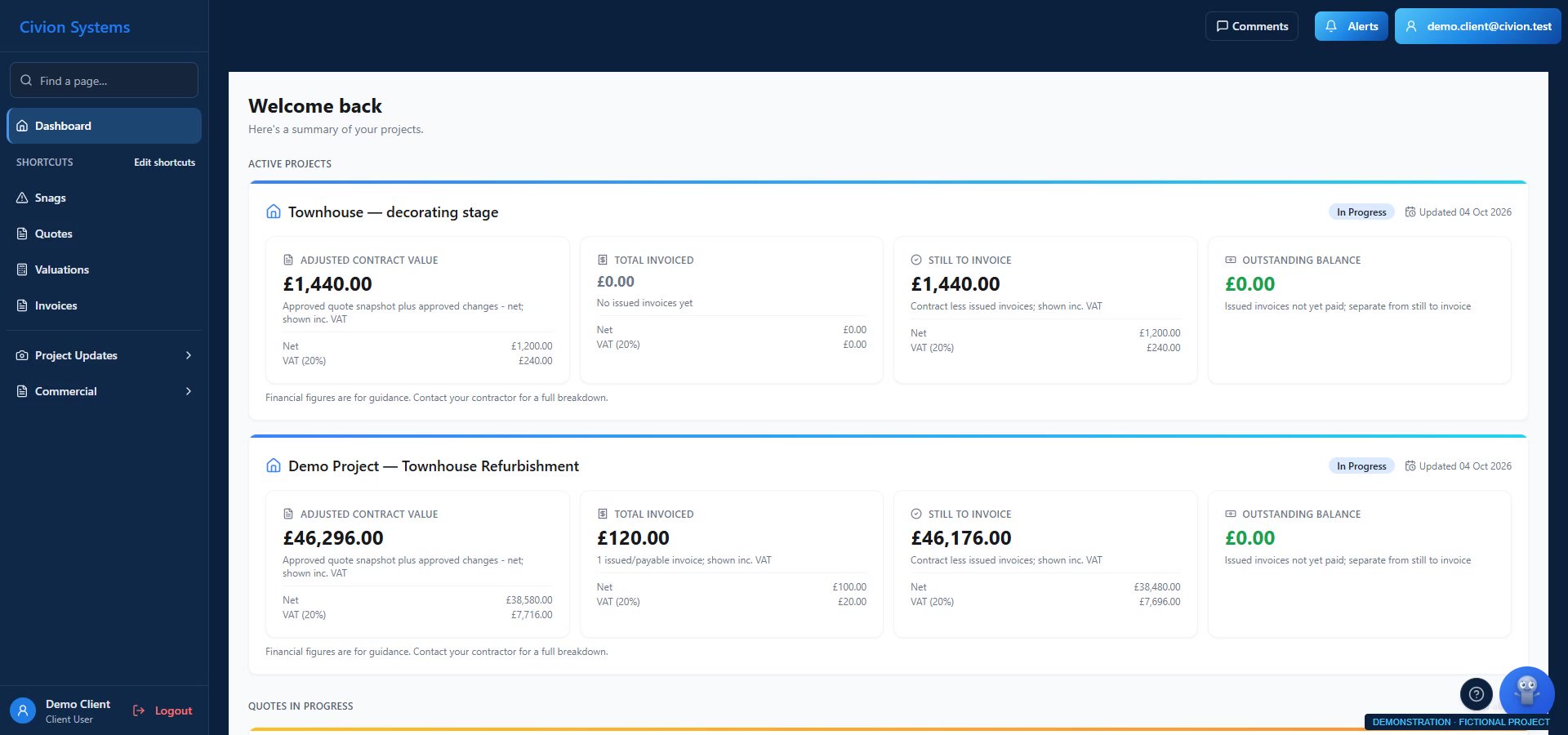
Client portal & handover — actual interface with fictional records
Actual Civion interface · fictional demonstration records.
Open full-size screen ↗

What you can do

  • Client-facing quotes, published valuations and invoices
  • Shared site photos and snag records
  • Certificates and client comments, with role-based views
Availability follows your plan, role permissions and company configuration. Screens use fictional records.
See this in a workflow ↗
Follow a complete example job ↗

Safety & training

Make guidance part of the working day.

Bring toolbox talks and training manuals into the workspace your team already uses for the job.

Safety & training

Make guidance part of the working day.

Explore the supported tools in your trial, then discuss your company setup during paid-customer onboarding.

What you can do

  • Toolbox talks for the team
  • Company training manuals
  • Access to guidance alongside everyday work
Availability follows your plan, role permissions and company configuration. Screens use fictional records.
See this in a workflow ↗
Follow a complete example job ↗

Reporting & business overview

See the detail behind the decisions.

Review job health and financial reports alongside workforce records, monthly wage reports and time-log exports.
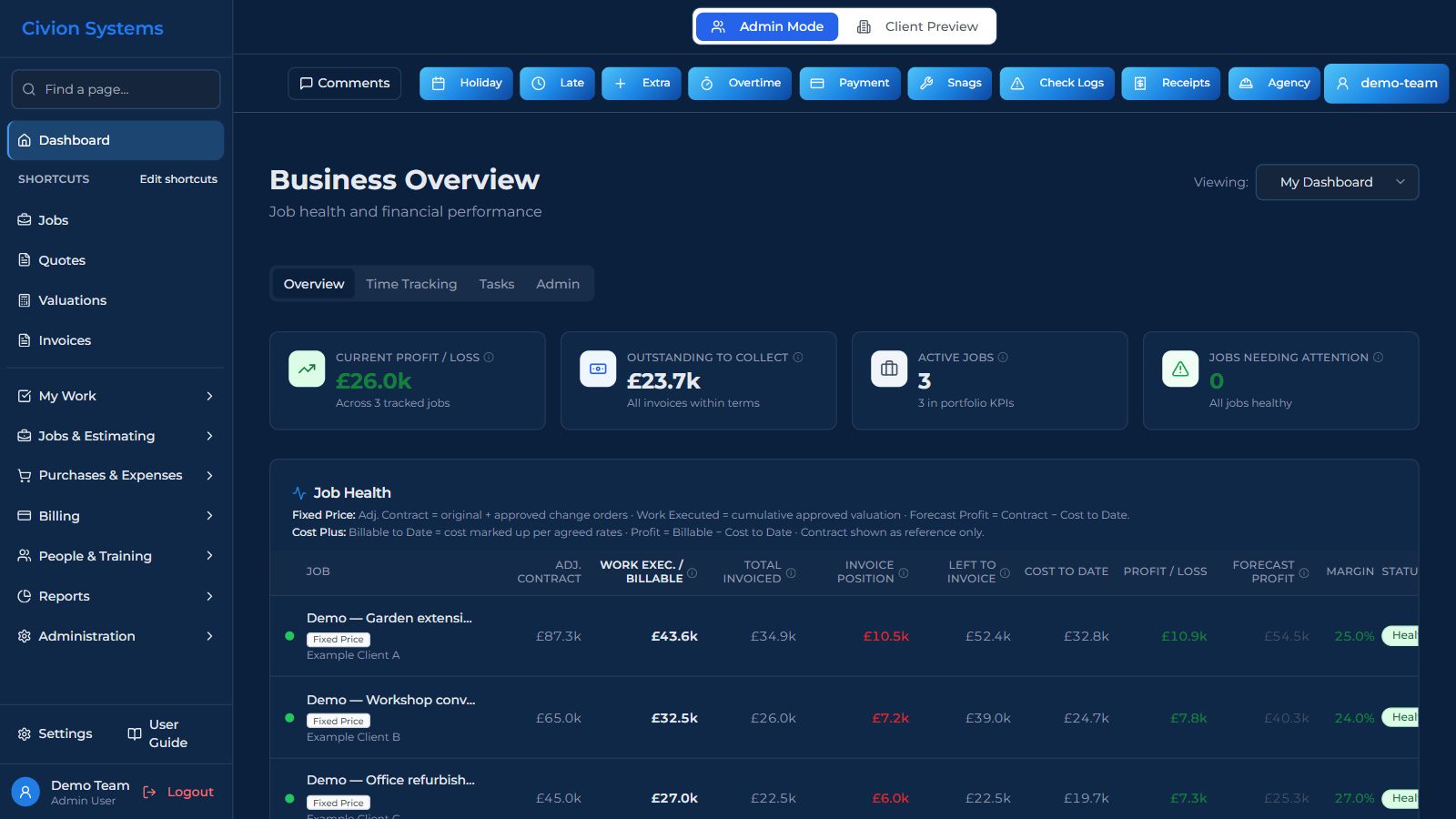
Reporting & business overview — actual interface with fictional records
Actual Civion interface · fictional demonstration records.
Open full-size screen ↗

What you can do

  • Business dashboard and job health
  • General and financial reporting
  • Monthly wage reports and time-log exports
Availability follows your plan, role permissions and company configuration. Screens use fictional records.
See this in a workflow ↗
Follow a complete example job ↗

Rivet AI assistance

Get help in the context of the job.

Ask Rivet about supported app workflows and job documents. Use its assistance to understand information and prepare work for your review.

Rivet AI assistance

Get help in the context of the job.

Explore the supported tools in your trial, then discuss your company setup during paid-customer onboarding.

What you can do

  • Contextual help within supported app screens
  • Job-document search with source and page references
  • Drafting and supported actions with your team in control
Availability follows your plan, role permissions and company configuration. Screens use fictional records.
See this in a workflow ↗
Follow a complete example job ↗
Team reviewing architectural plans in an office
Illustrative stock photograph · RDNE Stock project / Pexels · not a Civion customer portrait.

Built for the trade. By the trade.

Less time on admin.
More time for the work.

The drawings, prices and job records belong together. Civion brings the everyday work into one place, so you can spend less time piecing it back together.

Follow a job through Civion ↗
Training records do not certify compliance; wage reports are not payroll processing. Financial views depend on recorded costs and commercial values. Ask us about the configuration you need.

Want to see it with your kind of work?

Use the tutorials during your trial. Personal onboarding is included once your company becomes a paying customer.

Start your 14-day trial ↗