Record what changed
Describe the extra scope against the relevant job and work heading. Keep the reason and supporting records in context.
FOR BUILDERS MANAGING CHANGING WORK
Another request on site. More labour. Another purchase. Keep the extra work, its costs and the approval decision together, then follow the agreed change through billing.
14 days free. Card required. Your chosen paid plan renews automatically after the trial unless you cancel beforehand.
Built for the trade. By the trade.
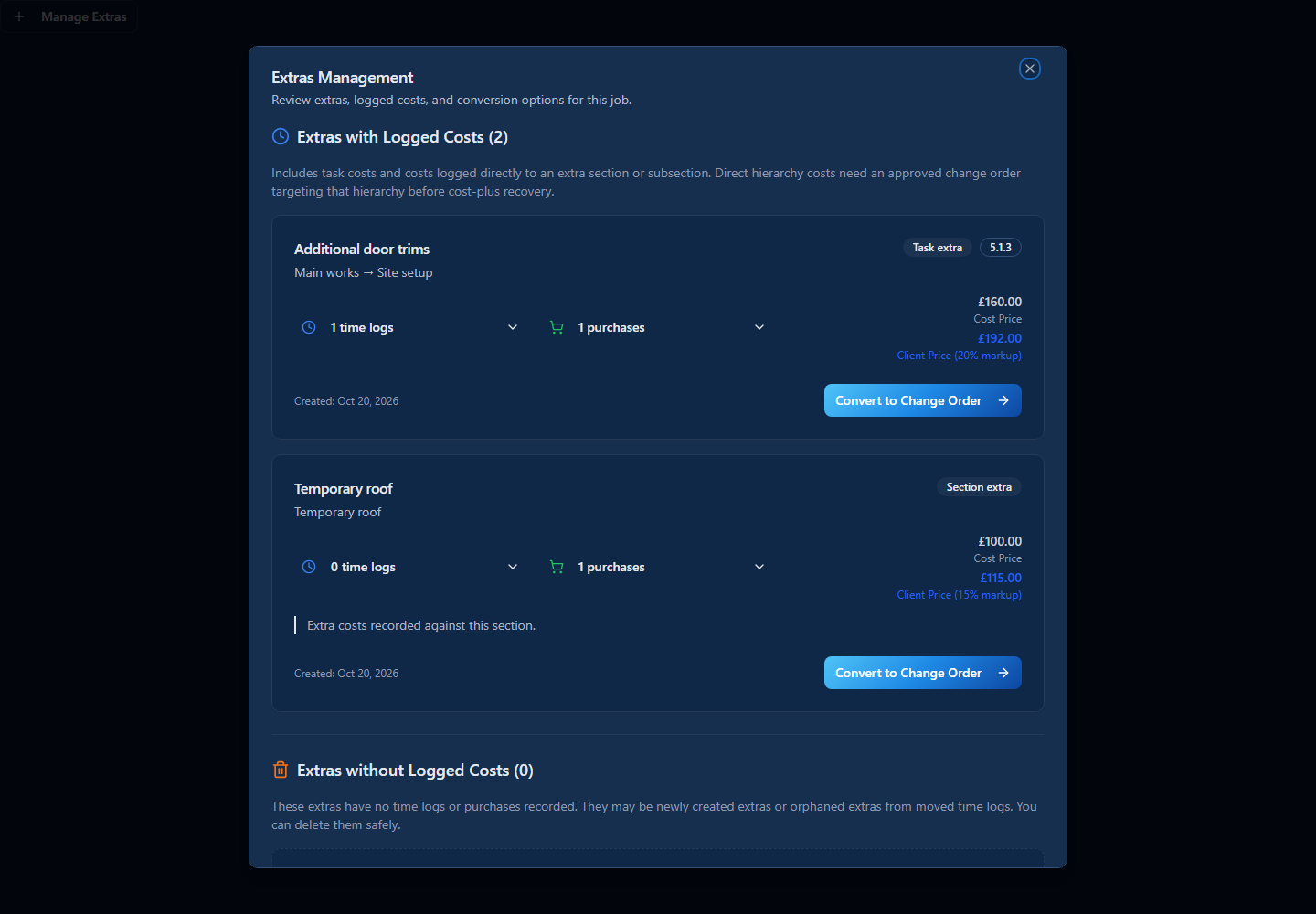
See where extra costs were recorded, inspect the supporting time and purchases, and prepare a change order for review. Keep the decision with the work.
THE WORK BEHIND THE RESULT
Describe the extra scope against the relevant job and work heading. Keep the reason and supporting records in context.
Inspect logged costs or prepare a manual price, then use the normal change-order review and approval process.
Include approved changes through the appropriate fixed-price or cost-plus valuation and invoice workflow. Track payment separately.
Extras need review and approval. Draft or rejected changes are not approved contract value. Billing depends on the job’s commercial model and eligible work.
Explore change orders ↗TRY IT WITH WORK YOU KNOW
You do not need to move every job at once. Use a job you understand to see how the workflow fits your business.
Start with a job where the scope has changed and identify the extra work you need to review.
Check its recorded labour and purchases, review the price and save the normal change order.
Check the approval and the appropriate valuation or invoice position. An approved change is not a received payment.
No. Review the scope and price, follow the approval process and include eligible work through the appropriate valuation and invoicing workflow. An invoice and a payment are separate records. Civion does not guarantee approval or collection.
Create your company, choose a plan and complete card setup to activate the 14-day trial. Tutorials and email support are available. Trial AI funding is limited to £10 per company across the 14 days.
Review the current monthly and annual plans and any eligible new-company offer before subscribing. Prices are per company, excluding applicable VAT. Your chosen plan renews automatically after the trial unless you cancel beforehand.
See current plans and offer terms ↗Use the tutorials and email support during the trial. A personal onboarding session is included after your first successful subscription payment, subject to your plan’s session allowance.
Explore the tutorials ↗YOUR NEXT BUILDING JOB
Explore the workflow before committing the rest of your business.
Start your 14-day trial14 days free. Card required. Your chosen paid plan renews automatically after the trial unless you cancel beforehand.
Review the plans and current offer ↗